OpenCV#003#OpenCV+WeChat-QRCode识别二维码
本文讲解使用opencv和wechat_qrcode识别二维码的方法。
使用wechat_qrcode识别二维码,按OpenCV库来源区分,大概有两种方法:
第一:使用官方编译的OpenCV库,然后在我们的工程中引入opencv_contrib的wechat_qrcode源代码;
第二:自己编译opencv+opencv_contrib库,该种方法编译而得的opencv_world.dll包含了wechat_qrcode,因此不必再次引入wechat_qrcode;
0x01 第一种方法
第一步:下载OpenCV预编译包
https://github.com/opencv/opencv/releases/download/4.13.0/opencv-4.13.0-windows.exe
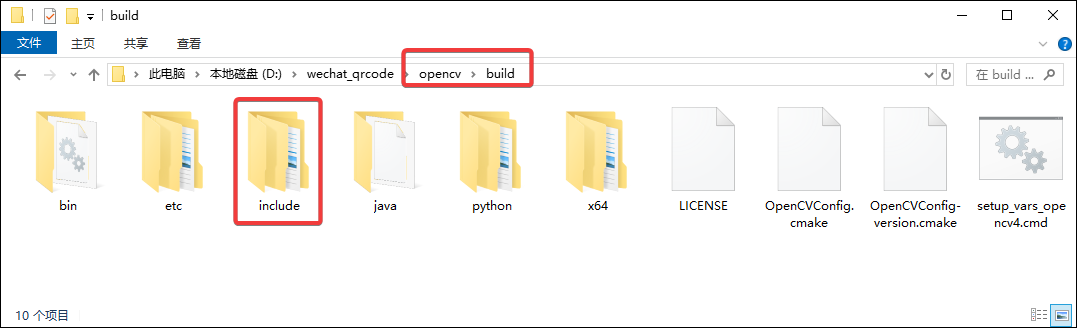
第二步:解压获取我们所需的OpenCV库和头文件,双击运行解压到 D:/wechat_qrcode/opencv,如下图所示:
- 头文件位于如下目录内:
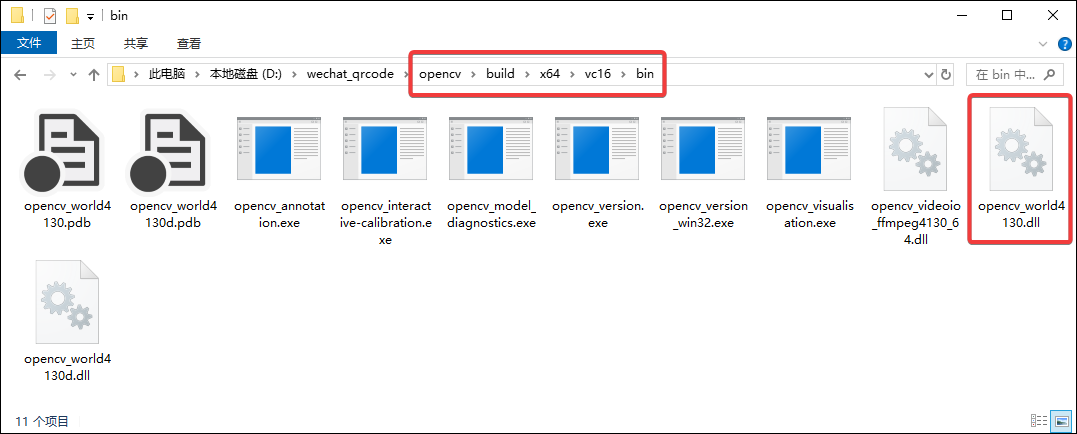
- 动态库位于如下目录内:
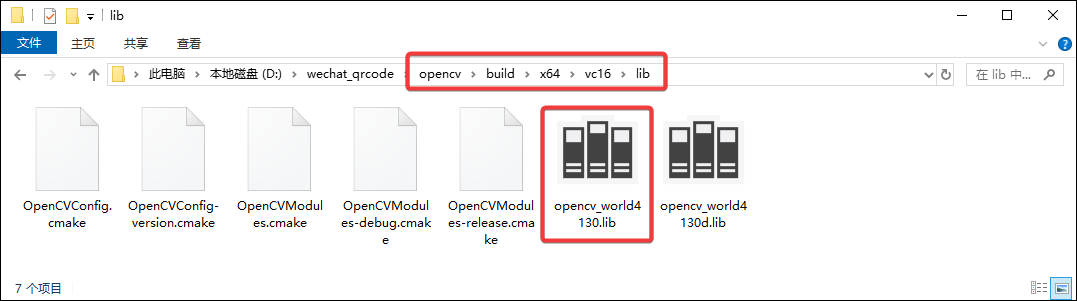
- 导入库位于如下目录内:
第三步:获取wechat_qrcode的源代码,从官网下载与opencv版本一致的opencv_contrib的源码包:
https://github.com/opencv/opencv_contrib/archive/refs/tags/4.13.0.tar.gz
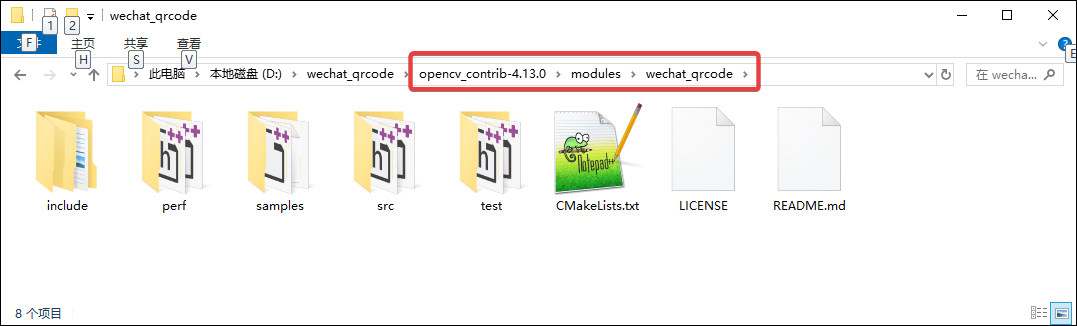
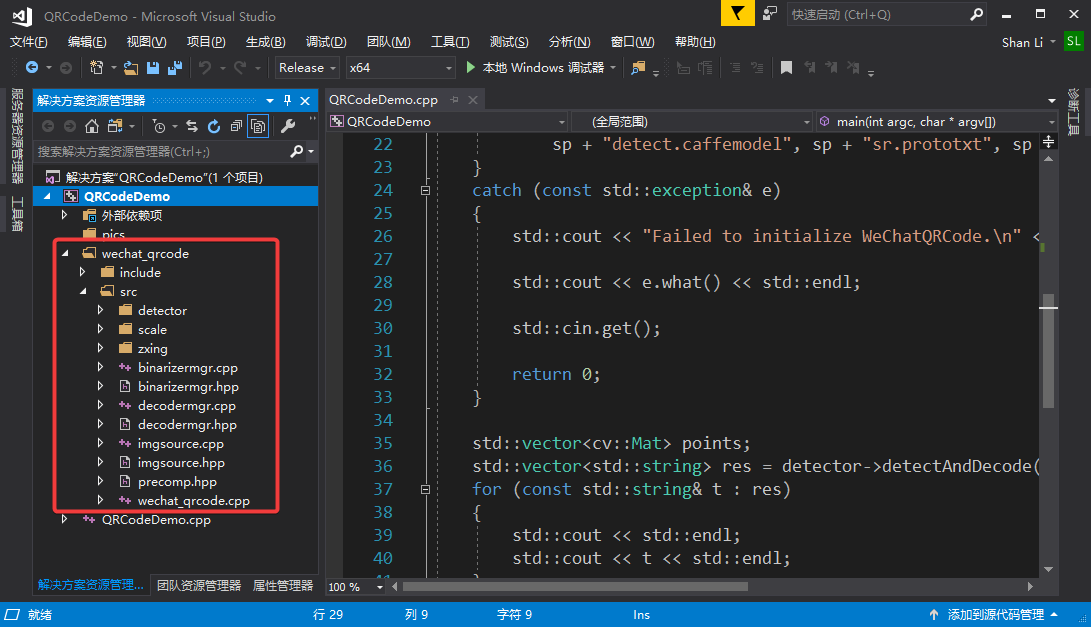
将上述压缩包解压后,在如下目录可以找到wechat_qrcode的源代码,然后拷贝 include 和 src 目录到我们的工程中:
工程目录结构如下图所示:
第四步:获取wechat_qrcode所需的模型文件,我们从模型文件的官网下载:
https://github.com/WeChatCV/opencv_3rdparty/tree/wechat_qrcode
第五步:使用如下测试代码进行测试:
| |
该方法的测试用例,可从我的github下载测试,链接: https://github.com/sanxiansite/wechat_qrcode_example/tree/main/QRCodeDemo1
0x02 第二种方法
第一步:自己编译OpenCV库
当前方法与上述方法对比,需要我们自己编译OpenCV库,其方法请参考:OpenCV#002#OpenCV编译方法
第二步:撰写测试程序
当前方法与上述方法对比,在我们的工程中不再需要引入wechat_qrcode的源代码,使用前述的测试代码直接可测试。
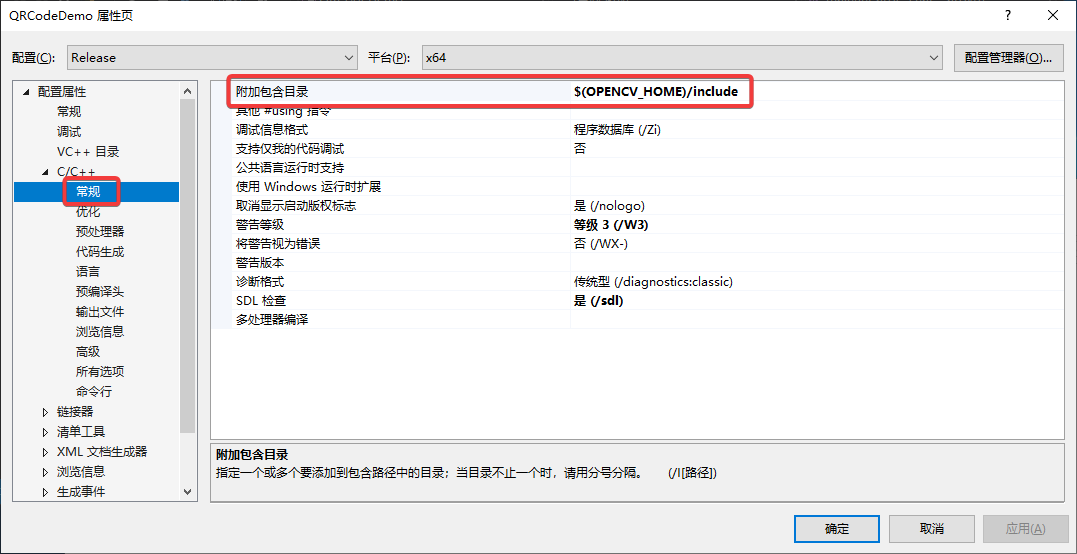
- 需要的工程设置1:设置OpenCV头文件路径,如下图所示:
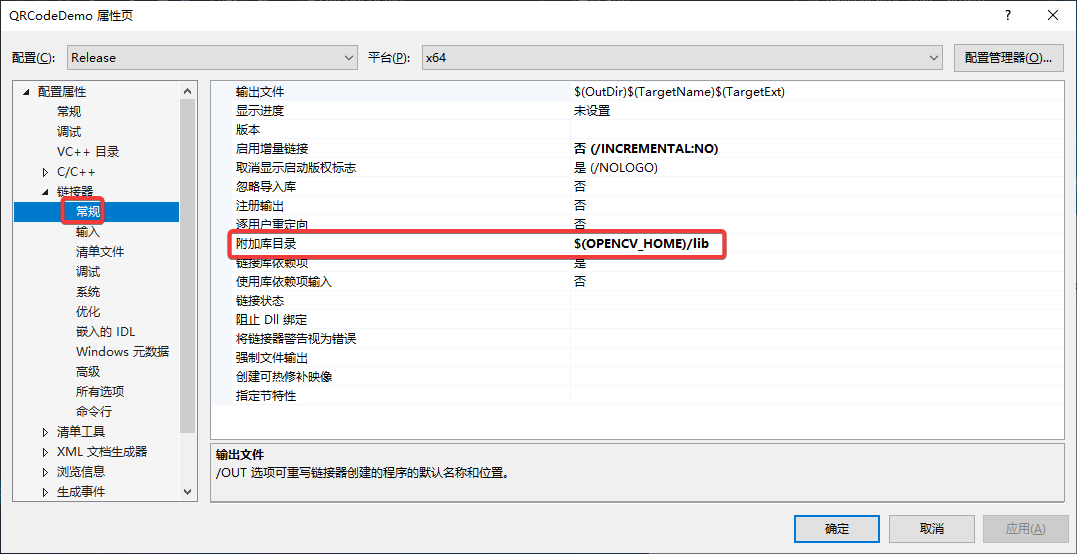
- 需要的工程设置2:设置附加库目录,如下图所示:
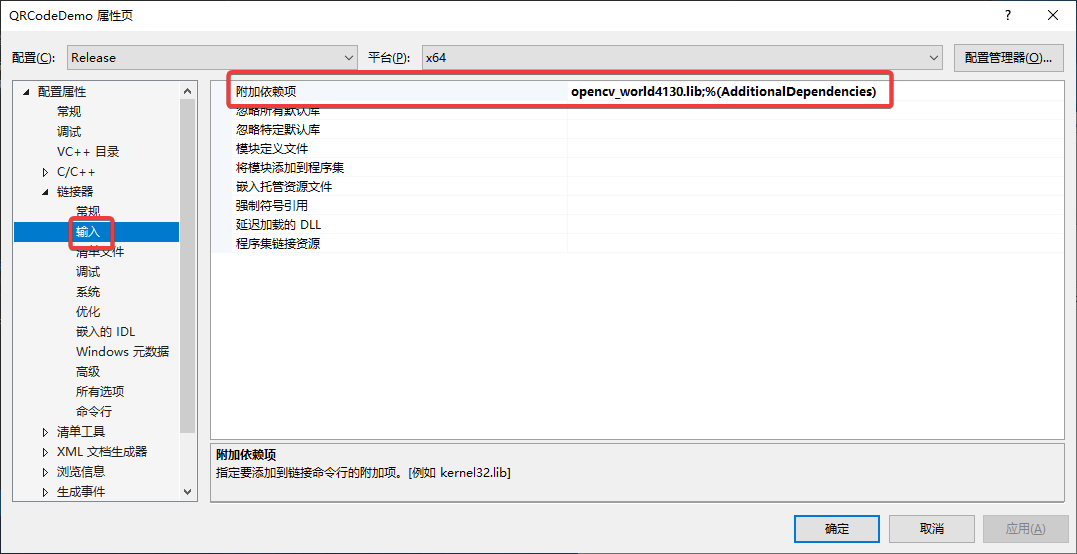
- 需要的工程设置3:设置附加库依赖项,如下图所示:
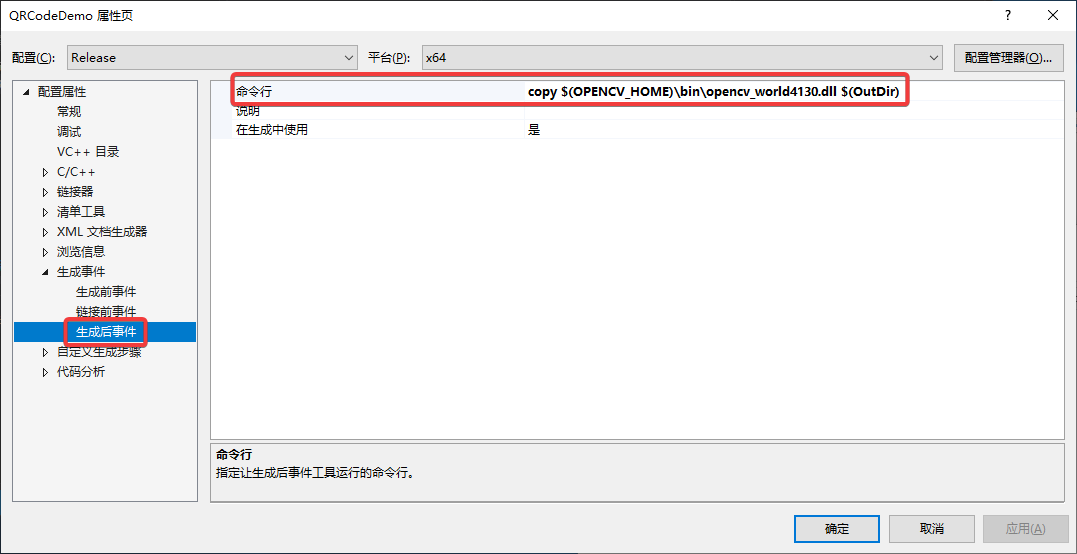
- 需要的工程设置4:设置生成后事件,如下图所示:
该方法的测试用例,可从我的github下载测试,链接: https://github.com/sanxiansite/wechat_qrcode_example/tree/main/QRCodeDemo2