代码统计我们时常用到,比如统计代码行数、注释行数、空行数、文件大小等等。本文介绍Windows和Linux上常用的代码工具。
0x01 Windows版代码统计工具
在Windows上常用的代码统计工具就是SourceCounter,该工具虽然已不再维护,但其功能齐全而且简单易用,所以我们还是推荐该软件。该软件有2.X和3.X两个大的版本,都还能还在网上下载到,两个版本各有千秋,按需选用即可。
SourceCounter的下载地址,请访问:https://code.google.com/archive/p/boomworks/downloads
下载完解压zip文件,无需安装,双击目录内的SourceCounter.exe即可运行软件。
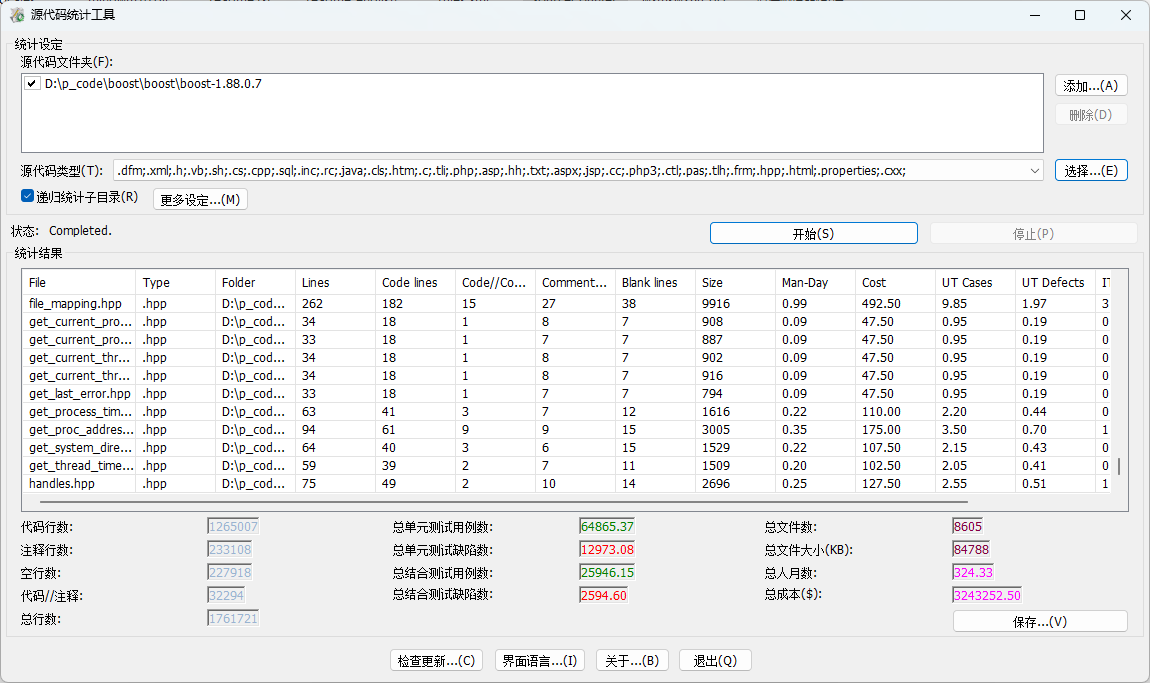
SourceCounter-2.5.5.9版本的运行界面,如下图所示:
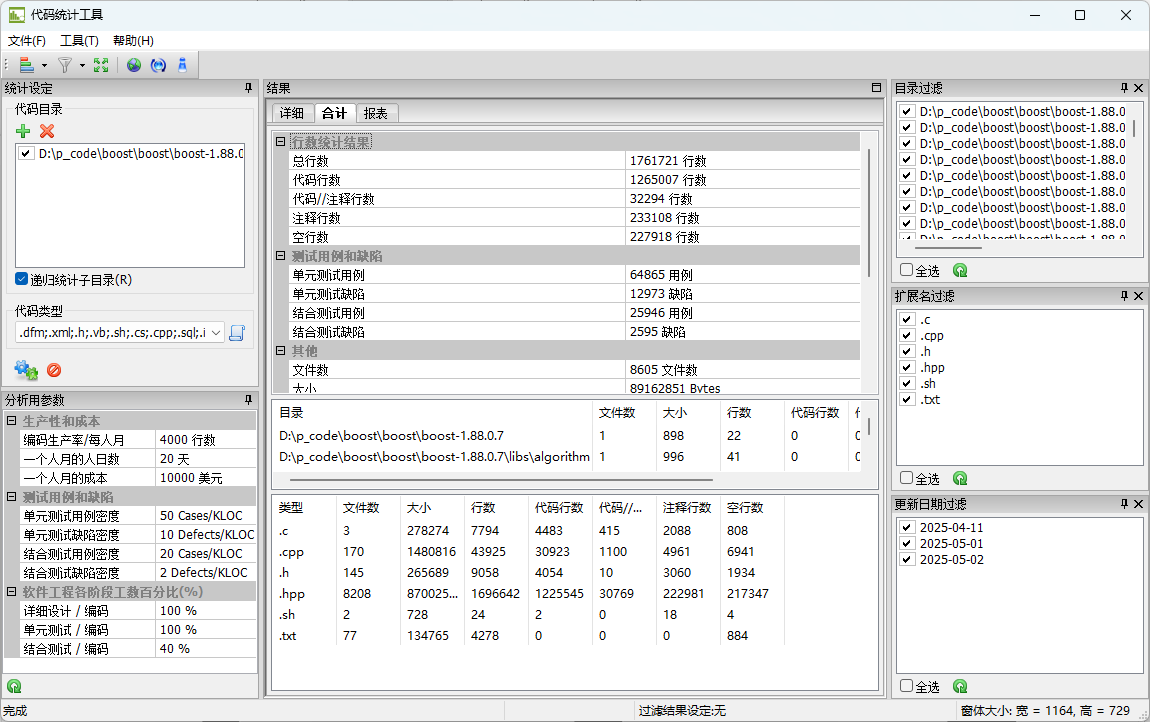
SourceCounter-3.5.33.73版本的运行界面,如下图所示:
0x02 Linux版代码统计工具
在Linux上常用的代码统计工具就是cloc,为 Count Lines of Code 的简写。如需详细了解cloc,请访问:https://github.com/AlDanial/cloc 。
首先,在Ubuntu系统上使用如下命令安装cloc:
1
| sudo apt install cloc -y
|
安装后我们看下帮助信息,如下所示:
 1
 2
 3
 4
 5
 6
 7
 8
 9
10
11
12
13
14
15
16
17
18
19
20
| mancode@mancode:~$ cloc
cloc -- Count Lines of Code
Usage:
cloc [options] <file(s)/dir(s)/git hash(es)>
Count physical lines of source code and comments in the given files
(may be archives such as compressed tarballs or zip files) and/or
recursively below the given directories or git commit hashes.
Example: cloc src/ include/ main.c
cloc [options] --diff <set1> <set2>
Compute differences of physical lines of source code and comments
between any pairwise combination of directory names, archive
files or git commit hashes.
Example: cloc --diff Python-3.5.tar.xz python-3.6/
cloc --help shows full documentation on the options.
https://github.com/AlDanial/cloc has numerous examples and more information.
mancode@mancode:~$
|
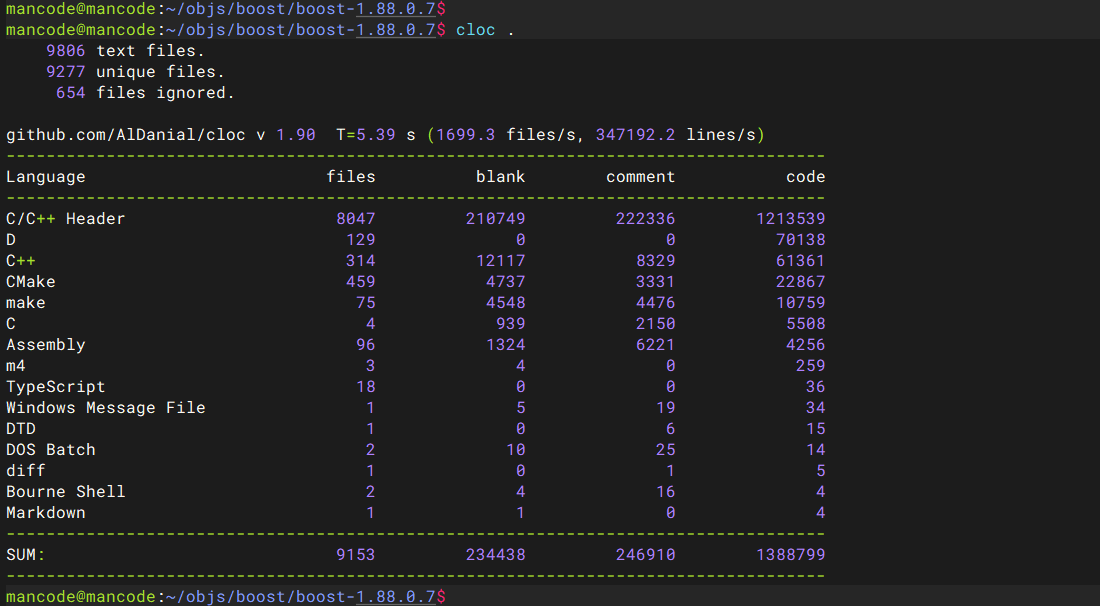
最后,我们示范下cloc的简单使用方法。详细教程请参考cloc的官方文档。如下所示:
0x03 在Linux上使用命令简单统计代码行数
在Linux系统上,如果不想安装专业的统计软件,只想知道大概的情况。我们可以使用find/xargs/cat/wc等工具的组合完成统计,如下所示:
1
2
3
4
5
6
7
8
| # 统计所有.h文件的代码行数,使用如下命令:
find ./ -name *.h | xargs cat | wc -l
# 统计所有.cpp文件的代码行数,使用如下命令:
find ./ -name *.cpp | xargs cat | wc -l
# 统计所有.h .hpp .c .cpp等文件的代码行数,使用如下命令:
find ./ -name *.h -or -name *.hpp -or -name *.c -or -name *.cpp | xargs cat | wc -l
|